Same Prompt, Same Diagram — Teaching Agents to Draw on a Local Canvas
At work I keep producing engineering diagrams and the occasional deck. They end up in whatever tool is closest — a whiteboard app here, a slides app there — never consistent, never durable, always one-shot.
I wanted two things: a tool that runs locally, and output that looks the same every single time. So I spent two days teaching coding agents to drive a canvas app, and shipped it as tldraw-canvas-kit.
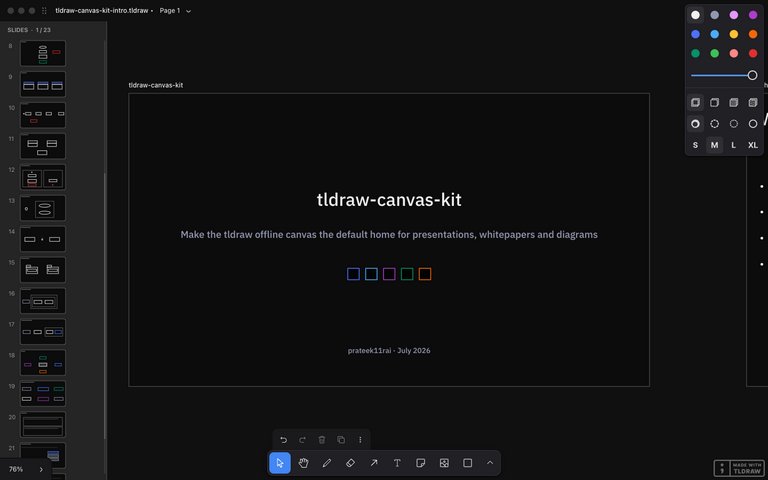
What It Is
tldraw-canvas-kit is a set of 19 Agent Skills that let coding agents — Claude Code, Cursor, Codex, anything the skills CLI supports — drive the free tldraw offline desktop app through its local API.1 Thirteen diagram types (sequence, flowchart, ER, state, class, activity swimlanes, use-case, component, package, deployment, architecture, mindmap, and a codebase map that reverse-engineers a repo), plus presentations, whitepapers, interactive widgets, export, and theming.
You describe intent; the skill owns the structure. That division is the whole point.
Why tldraw Offline
The offline app was the unlock. It runs a local HTTP server — a server.json with a port and a per-launch bearer token — so an agent on the same machine can search documents, execute code against a live editor, and install durable scripts into a document. No cloud, no account, no telemetry between me and my diagrams.
Documents are plain .tldraw files. And because the app ships its own SDK, scripts bundled into a document need no license key — the behavior travels inside the file. Send someone the deck and the filmstrip navigation comes with it.
Determinism Is the Product
LLMs already know what a sequence diagram is. Ask twice, though, and you get two different layouts, two different arrow styles, two different everythings. What agents lack isn't knowledge — it's consistency.
So each skill is a fixed structure spec: layout math, stencils, stable id schemes, meta tagging on every shape the kit creates. The same request produces the same canvas every run.
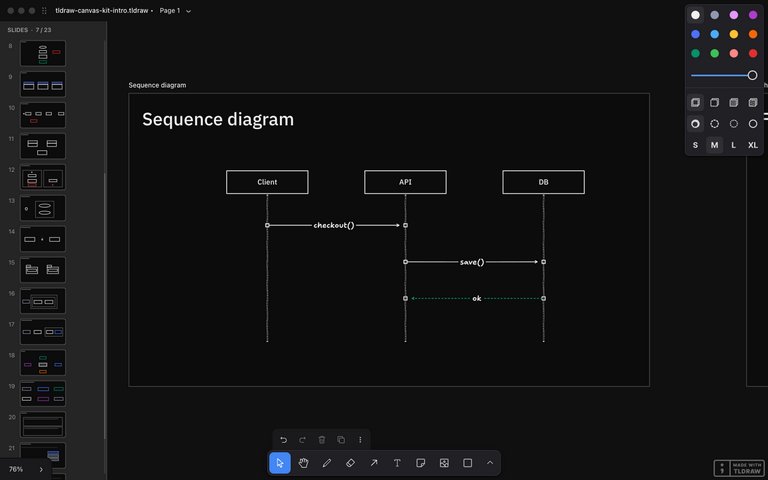
Idempotency is load-bearing. Re-running a skill against an existing diagram updates shapes in place, prunes anything the spec dropped, and reconciles edges whose spec changed. That last one was a hard-won bug: my first pass skipped edges whose key already existed, which meant an edge's style could never be corrected. The fix — store the full spec in the edge's meta and delete-recreate on mismatch — is now a rule every diagram skill carries.
Reality Edits the Spec
Every skill was verified against the live app, and the specs got corrected by reality over and over. My three favorite findings:
- Arrows silently ignore custom dash styles and default to sketchy. You have to create the arrow, then update it. No error, no warning — your crisp architecture diagram just quietly comes out hand-drawn.
- Arrows draw straight through intervening shapes, and no lint catches it. The document validates perfectly while an edge slices through a node's label. Screenshot review became a mandatory verification step because the data model literally cannot see this class of defect.
- Edge labels wrap mid-word unless the arrow has roughly 30px of length per character. "deliver" becoming "deliv‑er" across two lines is the kind of thing you only learn by looking.
The pattern across all of them: every failed test became a permanent rule in the skill docs. Test artifacts turned into specifications. The skills aren't what I guessed the API does — they're what the API demonstrably does.
The Demo Is the Test Suite
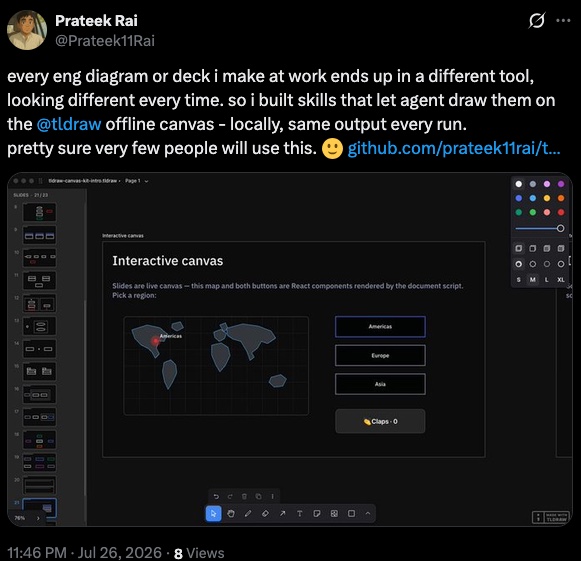
The showcase deck has one slide per skill — 23 slides with real mini-diagrams living inside the slides: sequence, ER, state machines, three-level-nested deployment zones, a codebase map of the kit's own repo.
It totals 203 shapes and 45 bound edges with zero lint findings, and the builder is deterministic enough that it produced byte-identical counts in two separate documents. So I shipped it as the integration test: tests/golden-deck/run.sh rebuilds the deck and asserts exact shape counts, idempotent re-runs, and navigation interactions.
The README gallery and every screenshot in this post are the test output. If the images look right, the test passed.
There's React in My Canvas
The best discovery of the project: document scripts can import exactly three modules — tldraw, react, and react-dom. Which means custom shape types that render real, clickable HTML on the canvas.
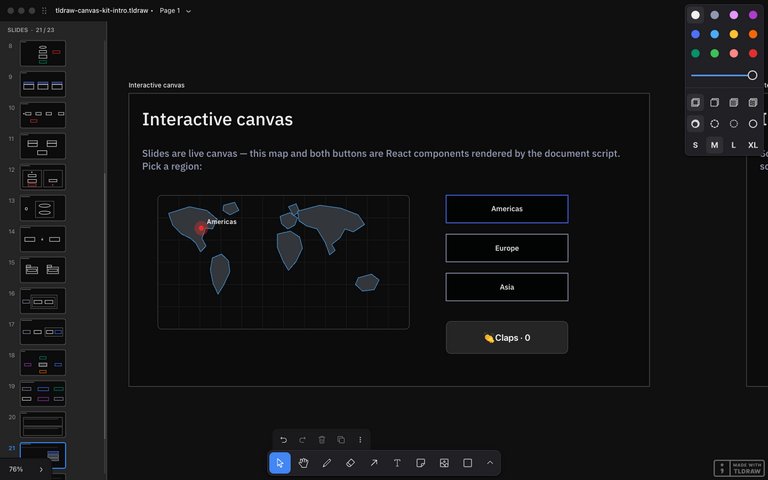
The deck's interactive slide has a low-poly SVG world map with a graticule and a pulsing region pin driven by a shape prop, next to a claps counter. Actual React components, living inside a .tldraw file, surviving save and reopen.
The gotcha that cost me the most time: render closures coalesce rapid clicks. Click a counter five times fast and it increments once, because each handler captured the same stale value. The rule — handlers read fresh store state, never their closure — is now in the widget skill's contract.
Widgets Are Researched, Not Canned
I surveyed the agent-skills ecosystem while building this, and one gap stood out: skills either ship canned components or nothing. The kit does neither. It ships contracts plus a research doctrine — check the live API first, then domain-authority references (tldraw.dev examples, the D3 gallery, MDN), then port into the kit's conventions.
We had a hand-rolled wireframe globe early on. It got deleted from the repo for violating exactly this doctrine — replaced by a researched, location-aware map built at request time.
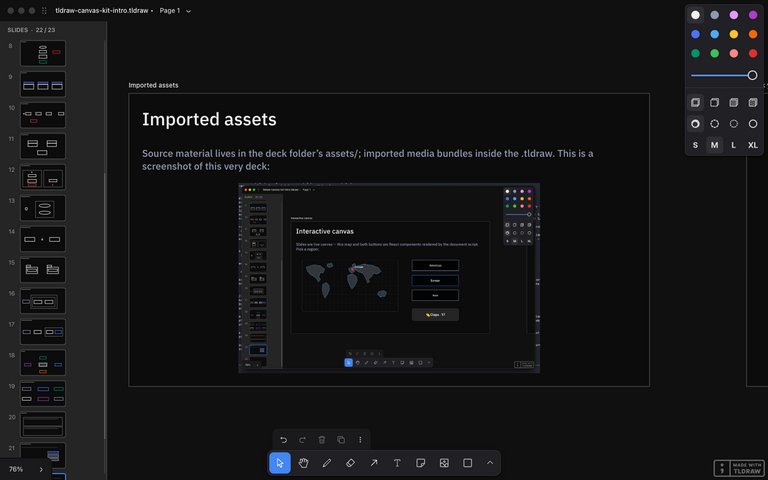
The same conventions extend to media: imported screenshots become assets bundled inside the .tldraw zip, fit-to-box so they never overflow their slide, and each presentation lives in its own folder with its assets and exports beside it.
Shipping It
The kit installs two ways: through the skills CLI for 70+ agents, or as a Claude Code plugin with a bundled canvas-operator subagent. Every skill is vendored self-contained, CI checks sync and discovery, commits are signed, and the golden deck is the regression gate.
npx skills add prateek11rai/tldraw-canvas-kit
Links: the repo, the v0.1.0 release, and the skills.sh page.
Honest limits: macOS and Linux only for now (Windows untested — contributions welcome), and the offline app's API is new and unofficial, so things may shift underneath.
Built for Me
When I posted about it, I closed with: pretty sure very few people will use this. It's for me.
That's still the honest framing. I wanted my diagrams to stop moving around between sessions, and now they don't. If a local canvas that agents can drive deterministically is your itch too — it's one npx away.
-
tldraw-canvas-kit is an unofficial project, not affiliated with tldraw Inc. The offline app and its local API are theirs, and both are excellent — all credit to the tldraw team. ↩